





 Turkey (Türkçe)
 Whatsapp Phone Date Wrong Error Solution
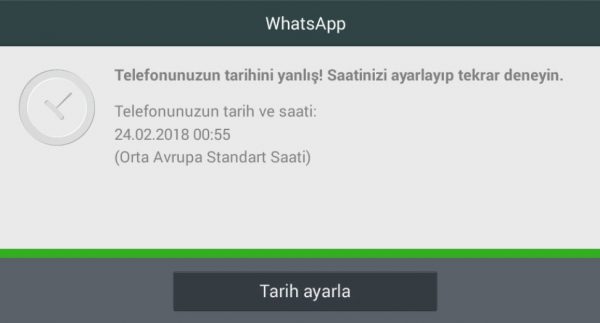
Whatsapp users often get the phone date incorrect error on older phones. It is not possible to use Whatsapp after receiving this error. You must make an arrangement. This problem does not usually occur on new phones. If you still see it, you can fix Whatsapp's date and time errors with the steps below.
Continue with Set date when you receive this error and set the current date and time. In this way, your problem is not solved because you can use it until the next problem and then you will encounter the same problem.
Continue in Settings - date and time to enter the phone's date and time settings section. Here, arrange the time and date properly. Adjust clock synchronization settings. If you are sure that the time and date are correct, restart Whatsapp. It should open.
Update Whatsapp. If no solution above worked, that is, updating the date and time did not solve the problem, there might be a problem with Whatsapp itself. In this case, it is recommended to update Whatsapp. Check your updates by visiting PlayStore to see if there are more updates to update Whatsapp. Update it if available.
If updating Whatsapp did not work or there is no update, it is recommended to reinstall Whatsapp. Uninstall Whatsapp from your phone and reinstall it on Google Play. Sign in with your phone number.
These solutions need to work. We know this error usually happens on older phones. Therefore, if the above solutions did not work, it may be time to replace the phone.
Comments0
No Comments Yet
Be the first to share your thoughts.
Please sign in or sign up to leave a comment.