





 Turkey (Türkçe)
 Turn off Apple Watch Automatic Training Notifications
Apple Watch is one of the devices that can be useful especially in sports activities. When you start playing sports, it detects this and offers you various statistics, and can even alert you to do sports later. The clock that throws such notifications to the user can sometimes bore the user. Well, if you don't want to see such notifications, you can turn off notifications if you want to use Apple Watch only for the watch and other connectivity features.
Turn off Apple Watch Sports Notifications
- Go to Apple Watch settings.
- Proceed through the general settings row.
- Enter the exercise section.
- You can turn off the Initial Exercise Notification.
- You can turn off the End Exercise Notification.
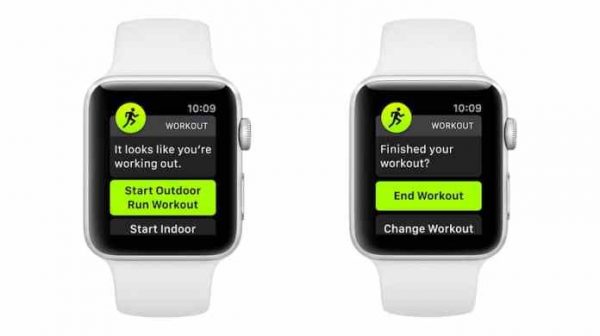
Your watch will not send you a notification for whatever reason when you do sports with this method or when your watch thinks you should do it. Apple Watch Notifications can sometimes come in inappropriate places. Sometimes it can really bother you. Turn off Apple Watch Exercise Notifications for such undesirable situations.
Comments0
No Comments Yet
Be the first to share your thoughts.
Please sign in or sign up to leave a comment.