





 Turkey (Türkçe)
 Enlarging Posts on iPad
Some users are waiting for a life-saving move when they forget their glasses or have a visual impairment on phones and tablets in general, or when they have problems touching links to small articles. In this article, we will talk about enlarging the articles on almost every phone and tablet, but we will show a way for iPad users. For other devices, we can write a separate article later.
How to enlarge articles on iPad?
The first thing to do is to use the font size up option. This option must be active in order to enlarge the articles completely. Maybe just enlarging the font might work for you. Try the method below to enable this option.
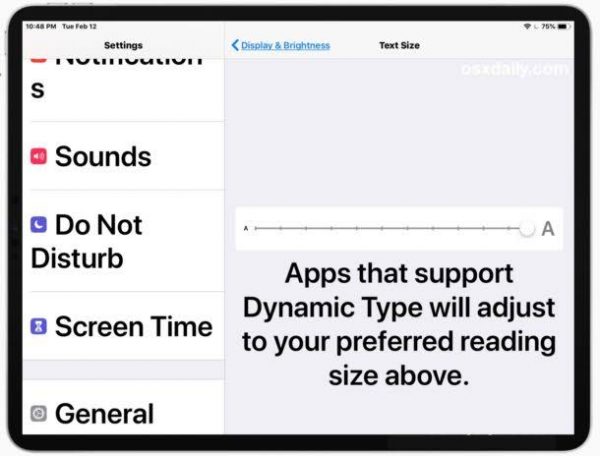
Go to Settings - General - Accessibility - Larger text and enable it. Once activated, the bottom bar will be active, and when you slide the bar to the right, the font will grow.
Still not seeing or having trouble touching?
So you can now activate the thicker text option as the last option. In this way, it is possible to access the largest texts on the iPad.
Comments0
No Comments Yet
Be the first to share your thoughts.
Please sign in or sign up to leave a comment.